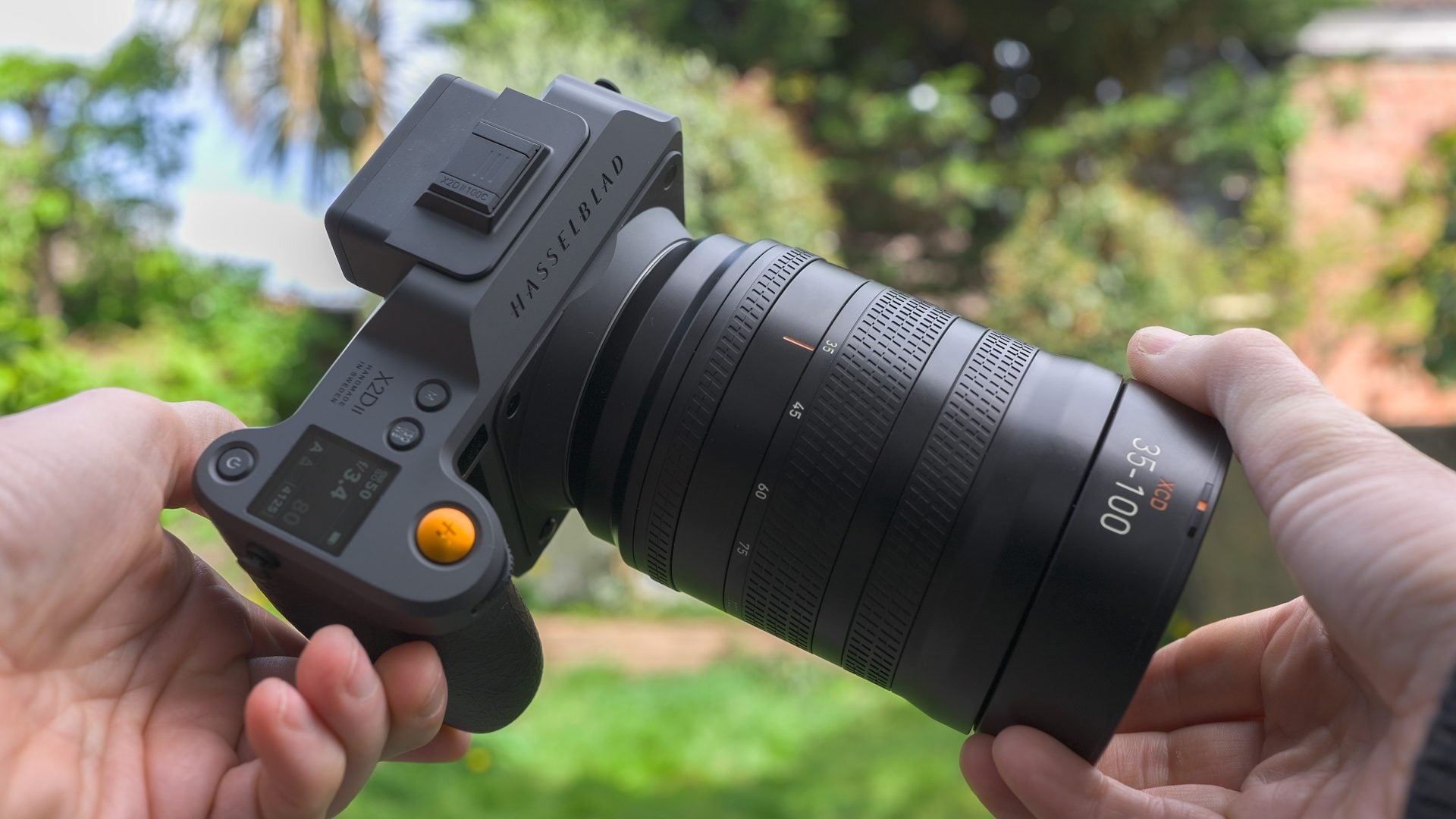
 The Hasselblad X2D II is an unashamedly high-end camera that delivers not just on pure image quality with its 100 Megapixel medium format sensor, but also a refreshingly unique approach to control and handling. The build quality is fantastic, with the camera feeling supremely confident in your hands. Composition is a highlight with one of the biggest viewfinder images I’ve seen, coupled with a large screen that delivers similar brightness to a modern phone or professional monitor. The autofocus represents a big upgrade over previous models, now supporting continuous AF with the latest lenses. Sure it’s not designed for sports or fast action, but it is perfectly suited to portrait, street and reportage along with traditional urban or natural landscapes. The user interface is clean and simple and I love how haptic feedback provides confirmation of focus or a level composition. As for image quality, the 100 Megapixel sensor is capable of tremendous detail and usable under a variety of conditions thanks to the excellent IBIS, but you have to admire a company sufficiently confident in their processing that there’s no colour profiles to choose from, nor even an in-camera monochrome mode. Luckily the quality speaks for itself with natural-looking colours and tones, and a unique approach to HDR imaging that will have you reconsidering how you capture and present images. Overall the X2D II 100C is a refreshingly different and enjoyable pure photography experience, and one I feel justifies its price against increasingly sophisticated full-framers.
Hasselblad X2D II 100C review
-
-
Written by Gordon Laing
The Hasselblad X2D II 100C is a digital medium format camera with a 100 Megapixel sensor, 1TB of built-in storage, IBIS, a refreshingly different user interface and a cunning approach to HDR and display technology that’s way ahead of rivals. And in a World dominated by hybrid cameras aimed at video content creators, it’s refreshing to shoot with one purely aimed at stills photography alone. Yep, no video mode here.
Below are two videos I made about the X2D 100C II, both sponsored by Hasselblad, but they gave me free-reign on what I wanted to cover, how it was presented, and didn’t influence my testing or edit my opinion before publishing. So I’ll be including both technical tests and real-World usage, and presenting the pros and cons as I see them. If you’d prefer to read the written highlights, keep scrolling!
First things first, the X2D 100C II is an unashamedly high-end camera with a body price to match of around $7400 or £6400. That said, this is cheaper than its predecessor and roughly similar to the price of Fujifilm’s flagship GFX 100 II which shares essentially the same sensor, and lest we forget the Hasselblad includes 1TB of storage.
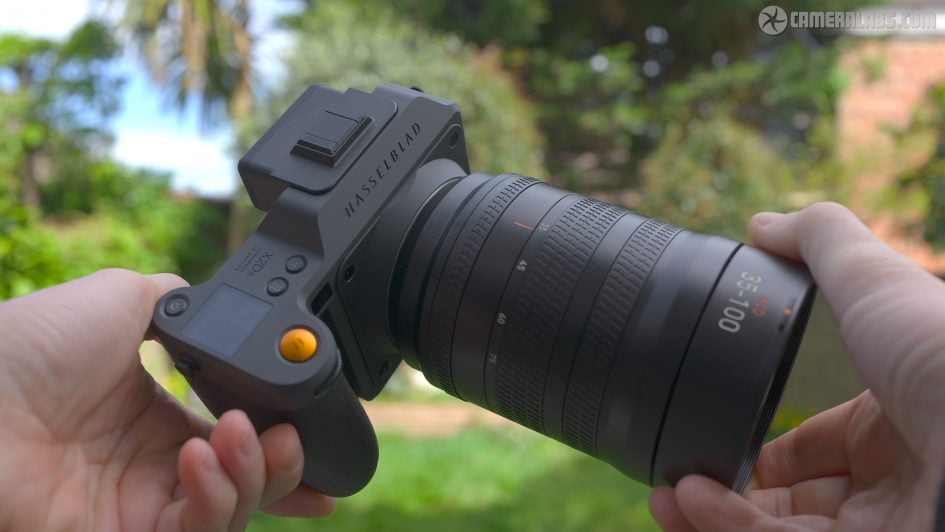
And that’s not just the price of top-end medium format either: Sony’s A1 II and Canon’s EOS R1, both models with smaller full-frame sensors, are priced only a little less. Sure they’re aimed at very different types of people and tasks, but my point is these are the prices of flagship camera bodies today.
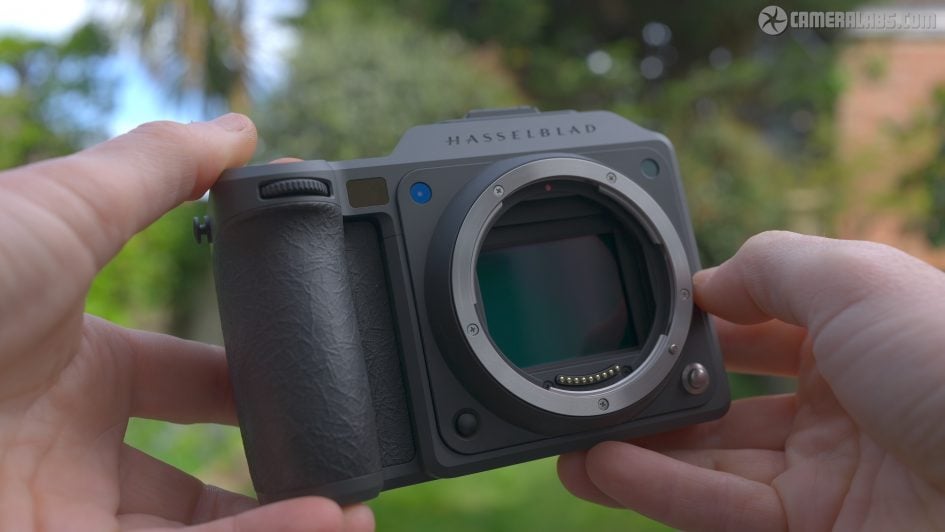
Right, let’s get started. At the heart of the X2D 100C II is a 100 Megapixel BSI medium format sensor. This measures 43.8×32.9mm, giving it 1.7 times the area of 35mm full-frame, and wider coverage from the same focal length lenses.
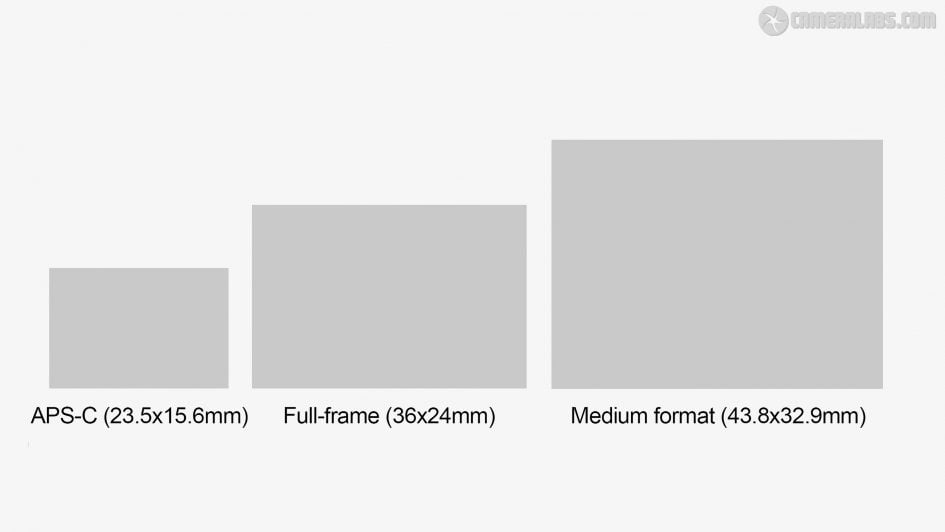
To give you an idea of scale, I made this diagram to show you the relative sizes of APS-C, full-frame and the medium format sensor used by Hasselblad and Fujifilm. It may be smaller than traditional medium format film, even 645, but remains comfortably larger than full-frame. In fact the X2D II’s sensor shares a roughly similar pixel size to Sony’s A7r V and VI bodies, but thanks to its larger surface area can accommodate more pixels without compromising noise or dynamic range.
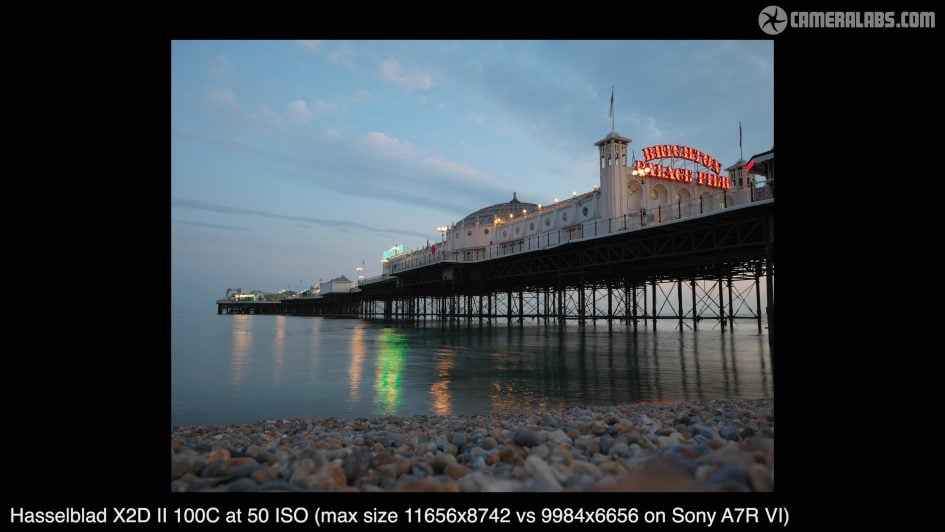
So it’s recording images with 11656×8742 pixels in the 4:3 shape, versus Sony’s latest A7r VI which records 9984×6656 pixels in the shorter but wider 3:2 shape. In linear detail, that gives the X2D II roughly 16% more pixels horizontally or about 31% more vertically. Not a huge difference, but as you’ll discover, the camera is about more than just pure resolution. Note there’s no video capture on the X2D II; these are pure photography cameras only. If you want video from a 100 Megapixel medium format camera, check out Fujifilm’s GFX series.
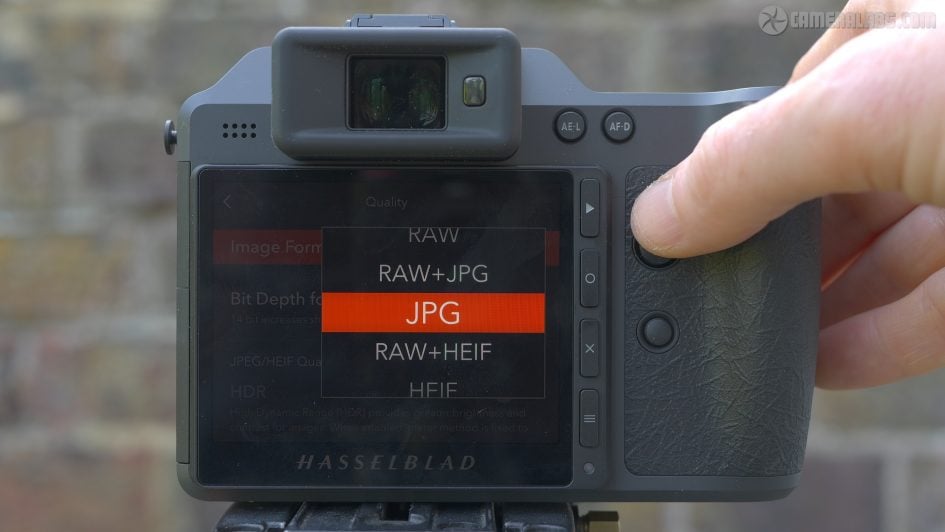
In terms of image quality settings, you can set the X2D II to record RAW alone, RAW+JPEG, JPEG alone, RAW+HEIF, or HEIF alone. HEIF files are recorded in 10-bit, while RAW files can be recorded in 14 or 16-bit, the former required for burst shooting. Meanwhile JPEGs are recorded in the Ultra HDR format which supports greater brightness on compatible displays. Speaking of which, notice a toggle for the HDR mode which accommodates greater brightness and contrast on single frames when recorded as JPEG or HEIF, rather than compositing multiple exposures. I’ll talk more about this later as it’s a key feature on the X2D II.
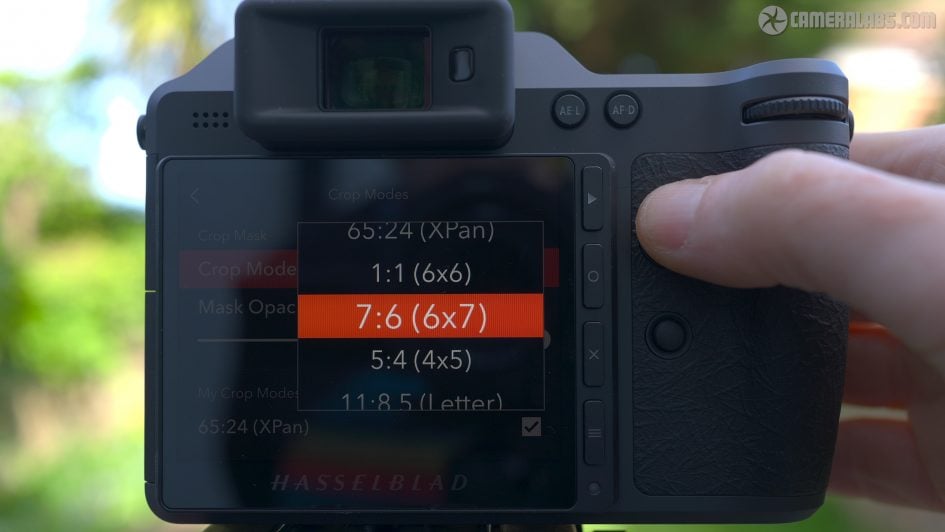
There’s also a selection of crop modes available which can be displayed with an adjustable mask opacity. The available shapes are 65:24 X Pan, 1:1 square, 7:6, 5:4, letter, A4, 3:2, 16:9 and 2:1, and you can select which you’d like available to avoid scrolling through them all.
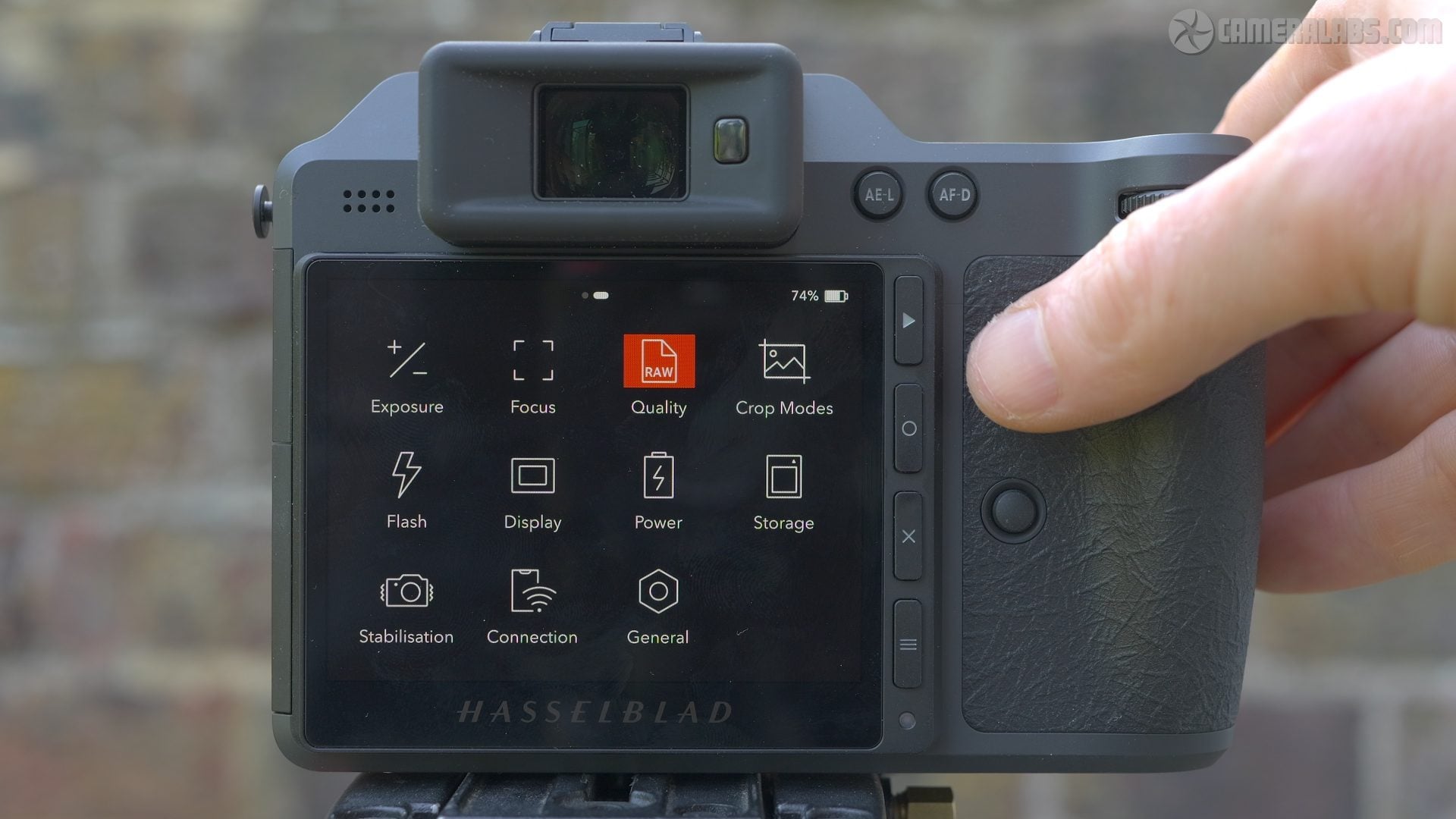
What you won’t find in the menus though are any means to adjust the colour, contrast or sharpness, nor any preset profiles, not even a monochrome option. Instead, all in-camera JPEG and HEIF files are processed using the Hasselblad Natural Colour Solution, or HNCS for short, leaving RAWs for anyone who wants to tweak later. This may be the same as previous models, but remains a bold move especially when Fujifilm’s rival GFX system features a variety of Film Simulations as a major selling point. Clearly Hasselblad is confident in HNCS delivering the goods, but ultimately like all cameras, you’ll have to look at the images and decide for yourself if they meet your requirements and desires. I’ll be showing you plenty of examples throughout this video. At this point you’ll have noticed the X2D II’s menu system is also quite different to the other camera brands, and I’ll be talking more about that in the section about the screen in a moment.
As for lenses, the X2D II is natively compatible with Hasselblad’s XCD series, although can also use other lenses with an adapter. Hasselblad supplied the recent XCD 35-100mm f2.8-4 zoom for me to test, which thanks to the larger medium format sensor, delivers a 28-76mm equivalent field of view, making it an ideal general-purpose lens. For the record, you should multiply lens focal lengths by 0.78x to find their equivalent full-frame coverage.
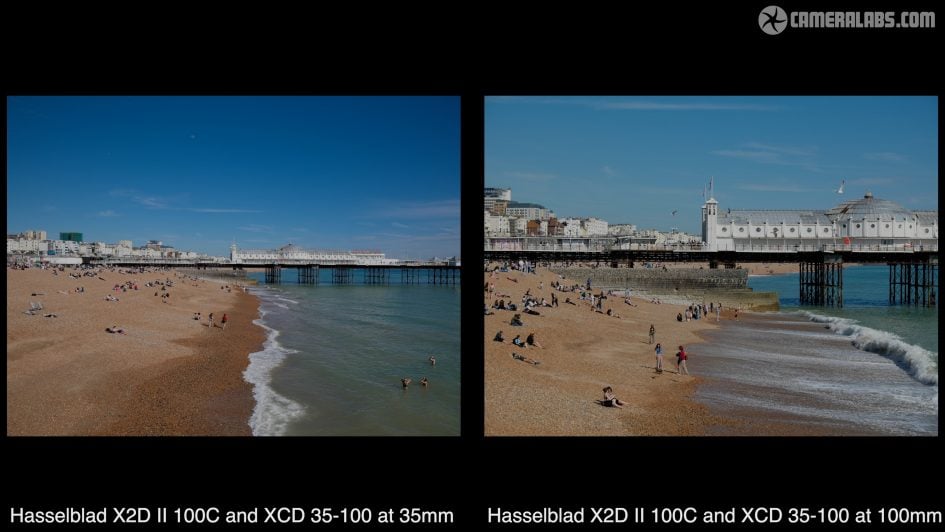
Like all XCD lenses, the 35-100 employs a leaf shutter, in this case supporting shutter speeds up to 1/4000, and allowing flash sync at all speeds. This is a key advantage for strobists over the focal plane shutter of Fujifilm’s GFX, with its maximum sync speed of 1/125, although if you’re adapting a lens without a leaf shutter, the X2D II will be limited to using its electronic shutter.
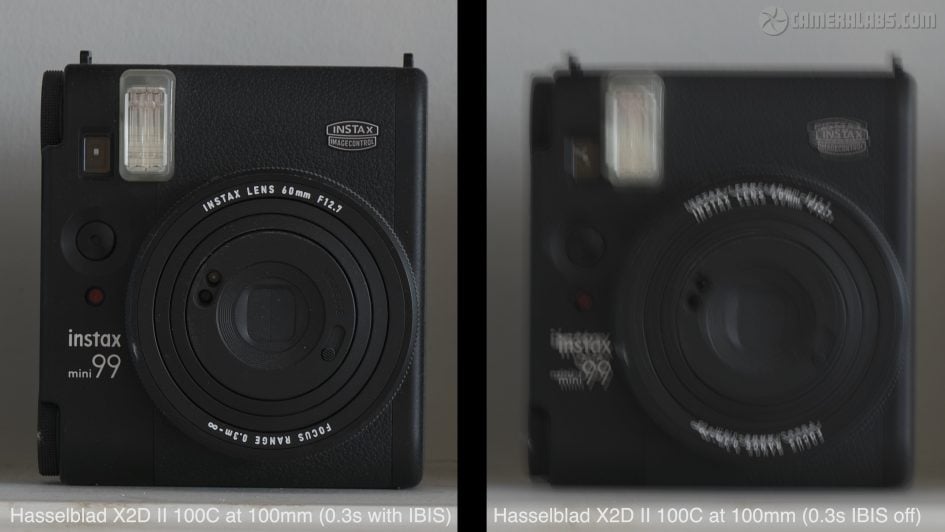
As before, the sensor is stabilised within the body, with Hasselblad claiming the IBIS provides up to 10 stops of compensation. Like all stabilisation systems though, your mileage will vary greatly. To put it to the test, I photographed this still life at progressively slower shutter speeds with and without IBIS. I used the 35-100 zoom at 100mm, and found IBIS on the X2D II allowed me to handhold a sharp result as slow as 0.3 seconds. In contrast with IBIS disabled, I needed a shutter speed of at least 1/180 to match the result, which corresponds to around six stops of compensation on the day. Considering I normally get around four stops from other systems in this test, that’s an impressive result, especially for the unforgiving resolution.
Auto-focusing on the X2D II uses a combination of Phase detection, Contrast detection and LiDar technologies, all working together to deliver a big upgrade over its predecessor, with the chance to finally deliver continuous autofocus, albeit only with recent compatible lenses. From the quick menu page you can switch between Spot, Expand Spot, Custom and Wide area modes, as well as enabling subject detection for Humans, Cats and Dogs, or Vehicles, although no birds.
Meanwhile the maximum burst speed is 3fps, during which RAW files are only recorded in 14-bit depth. In my tests I confirmed the speed and was able to record seven RAW+HEIF frames before the buffer filled. A small icon in the lower right of the display indicates the writing progress. Set to HEIF alone, the camera managed to capture 32 frames at the same 3fps speed, but the writing process to the internal SSD took 75 seconds to complete. You can still take photos during this time, but the buffer size for bursts will be reduced. So there’s clearly more appropriate cameras if you want to capture faster and longer bursts, but the X2D II does feel perfectly confident with the kinds of subjects it’s designed for, and a big improvement over its predecessor in typical portrait or street environments.
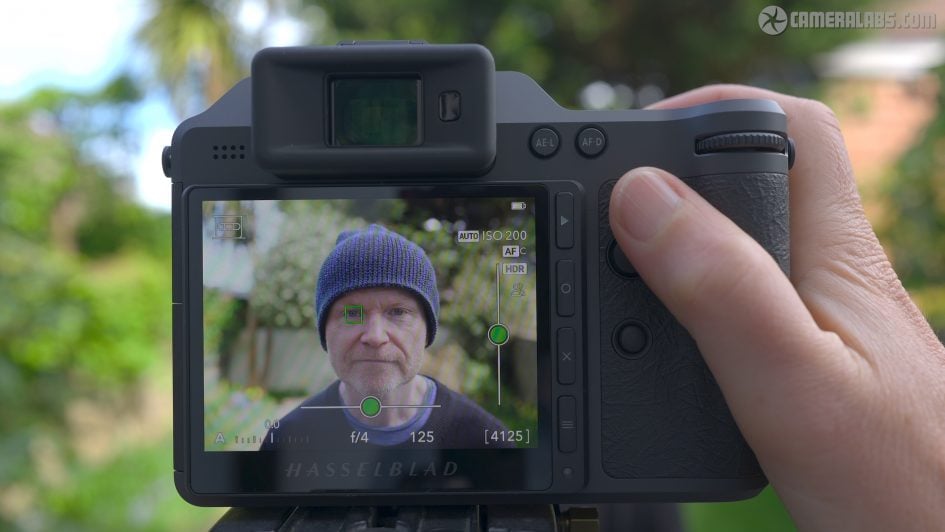
Here you can see the subject recognition easily finding my face or eye, while the continuous AFC keeps me sharp as I move back and forth or across the frame. Again you’ll need one of the latest XCD lenses to support continuous AF, such as the 35-100.
Ok, now for a look at the potential resolution of the camera, and in my video review above I show a number of tests based on real life subjects. Certainly some full-framers, most notably Sony’s latest A7R VI, are gradually catching up, but in terms of pure detail on a single frame, the 100 Megapixel medium format models remain unbeatable at their price point. You have to spend considerably more on ultra-high-end cameras like the Phase One XF IQ4 150 for greater resolution on a single frame.
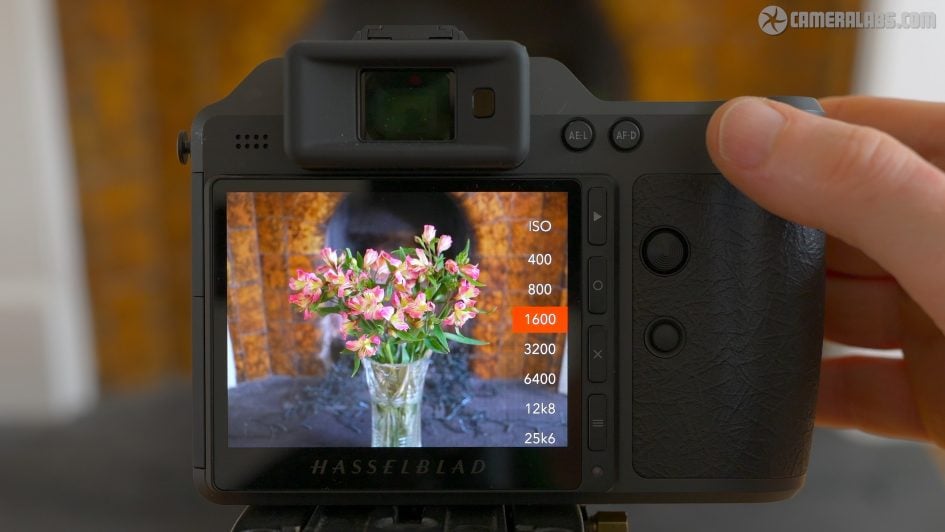
To see how the performance compares across the sensitivity range, my video review shows a still life view at each ISO value from 50 to 25600. In the video review you can have a closer look, starting with the base value of 50 ISO, and again they’re all HEIF files out-of-camera using the default settings and HDR mode enabled.
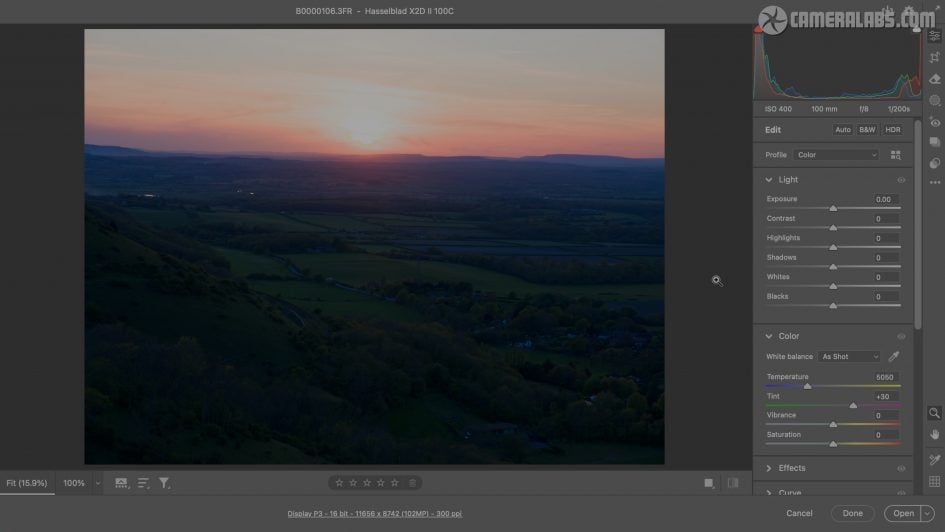
Next for dynamic range and first I wanted to see how much highlight and shadow recovery was possible on a challenging landscape view pointing directly at the Sun where there’s clipping at both ends of the exposure. The ground itself is almost entirely lost, but boosting the Shadows slider in Adobe Camera RAW shows how much tonal detail can be retrieved. Meanwhile pulling down the Highlights slider reveals previously clipped wispy cloud details with some nice sunset colours.
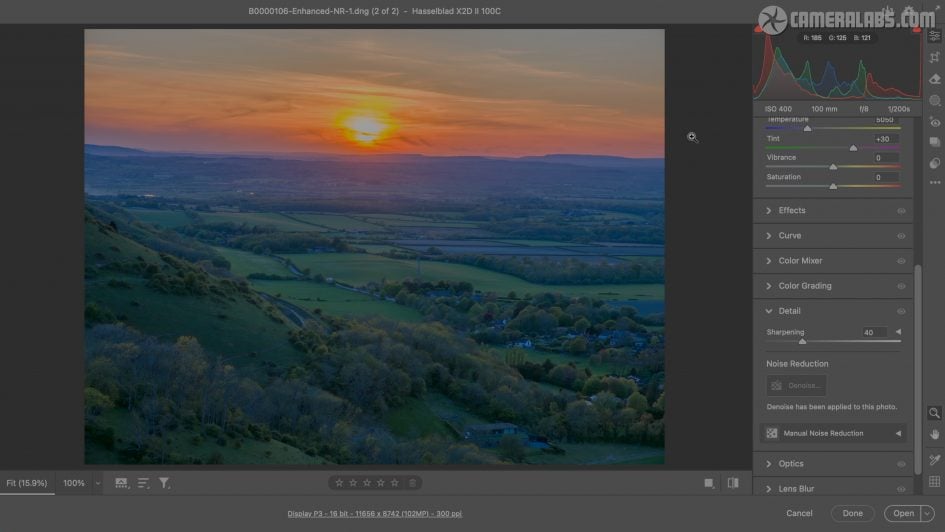
Obviously the end result may not suit your tastes, but I’ve done it to illustrate what’s possible in recovery at both ends of the range, and while boosting the shadows by so much has increased the noise, the image cleans up nicely with denoise tools. This was taken handheld at 400 ISO, but cleaner results can of course be had at lower ISOs. Considering what I started with, it’s quite a transformation, but this is more of an old-fashioned tone-mapped approach to HDR where you try to squeeze an extreme range into a standard file for presentation on old displays or prints.
But most modern screens, whether on phones, tablets, laptops or TVs are actually capable of displaying much greater brightness than before. This is generally exploited by big budget TV, movies and even games to display some parts of the picture more brightly than before, such as when including the Sun, artificial lights or reflections on surfaces like water or chrome.
The X2D II leans into this with HNCS HDR, which records and processes images that exploit the greater brightness of modern displays. So most subject tones will look the same as before, but any particularly bright areas, again like the Sun, lights or reflections, are displayed brighter on compatible devices. They’re also backwards-compatible with older screens, where they’re displayed as normal. But crucially you don’t need to wait to get them on a modern phone, laptop or TV to enjoy the effect as the X2D II becomes the first camera I’ve tested to sport a screen with sufficient brightness to display these HDR highlights in playback.
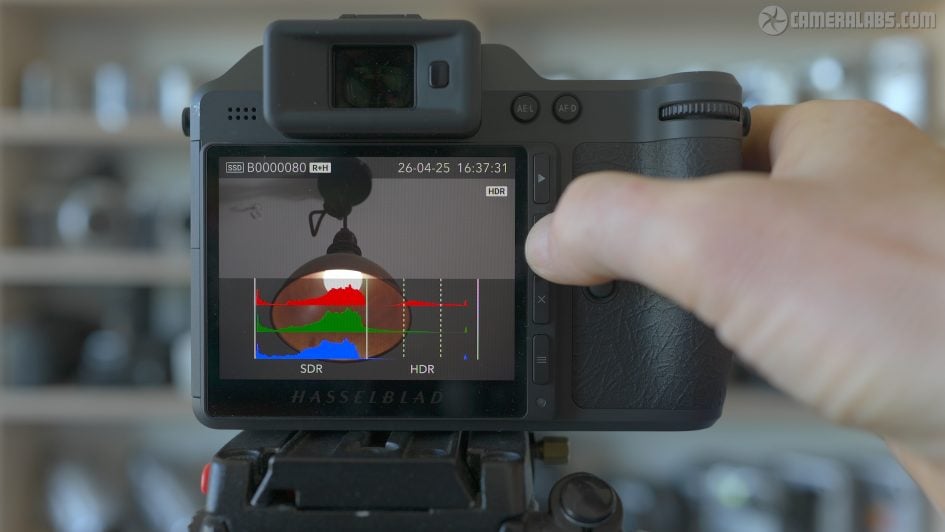
Forget bog-standard TFTs, this 3.6in screen employs an OLED panel with 2.36 million dots and an impressive 1400 nit peak brightness, making it more like a modern phone or professional external monitor. The real highlight, pun-intended, is in playback where tapping the HDR icon in the corner lets you toggle the effect on and off, effectively previewing what people will see on HDR and non-HDR displays. I’ve filmed and presented my two video reviews in HDR, so if you’re watching them on a compatible display, you’ll better see the effect. Again most of the image will remain the same, but notice how highlights are displayed brighter on the HDR version, giving them extra impact and making the non-HDR versions look comparatively dull.
So capture a bright subject, like a lamp, reflections on metal or water, or the Sun itself, and rather than simply clipping the highlights as normal, these can now be displayed with genuinely greater brightness than the rest of the image. This better reflects what we see and experience in reality – just glance around a room with a light on and notice how much brighter the bulb is than the surroundings. We get used to seeing these really brought areas clipped on standard photos.
It’s also interesting to view the histograms while toggling HDR mode, where you can see how clipping can be avoided on some subjects. I’ve been asking camera companies for years to improve their rear displays, especially as they’ve fallen behind modern phones, but Hasselblad is the only one to really embrace the latest technologies with a screen that’s larger and much brighter than most.
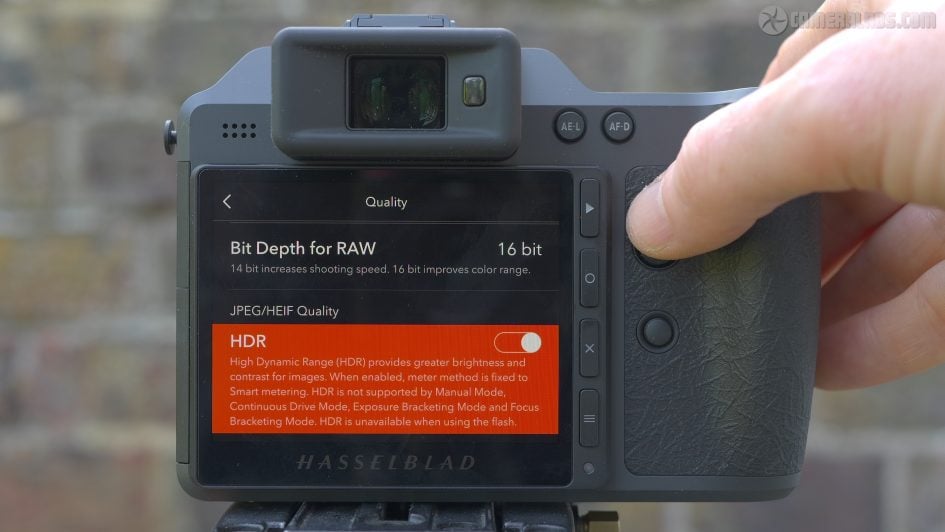
Indeed Hasselblad has doubled-down on HDR by making it the default option on the X2D II, where it’s automatically applied to in-camera HEIF files and even JPEGs thanks to support for Ultra HDR. These view normally on non-HDR screens, but exploit extra brightness on compatible displays. Note the HDR mode employs smart-metering which means it’s not supported in Manual exposure mode, and also unavailable in burst or bracketing modes. HDR also isn’t applied to RAW files out-of-camera, although you can export Ultra HDR JPEG versions of them using Hasselblad’s Phocus mobile app for iOS.
Since the end-to-end HDR workflow from capture to presentation is a highlight of the X2D II and a key difference with most cameras, I dedicated my second video entirely to it. But for now, I’ll mention you can enjoy the extra brightness of HDR images on most laptops when using applications like Photoshop, Chrome or Final Cut, or on phones including the Hasselblad app or when posting to Instagram.
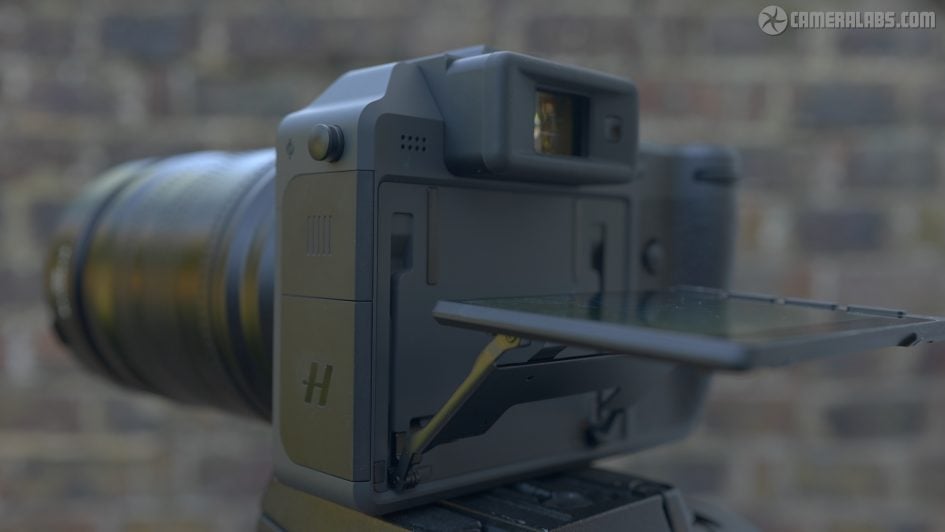
Moving on, the screen panel itself is mounted on a platform that can angle down by 43 degrees or out and up by 90 degrees for easier framing at high or low angles. Like the rest of the camera, the articulation feels well-built and very robust in operation, more so than most cameras I’ve tested.
As you’d expect, the viewfinder is also very high quality, employing a 5.76 million dot OLED panel with 1x magnification. You’re looking at some footage I filmed with a camera pressed against the viewfinder. The eye cup isn’t particularly big, and there’s also a tiny pause as you bring your eye to it and it auto-switches from the screen, but the view itself looks huge.
The combination of the native image shape filling the panel without letterboxing, coupled with a greater than average 1x magnification means you’re looking at quite an immersive experience. In fact it’s so large, you may notice some stepped edges to curved shapes, but it doesn’t change during different focusing modes, and overall it’s one of the best electronic viewfinders I’ve used. Before moving on, eagle-eyed viewers may have also noticed there’s no visible diopter dial by the viewfinder, and that’s because it’s motorised via a menu. Classy stuff.
Now let’s take a look around the body as a whole. Like previous models in the series, it’s a modern, clean design, with a grey matte coating and minimal clutter. It feels rock-solid in your hands, with the generous grip and substantial rear thumb rest providing a secure and comfortable hold. The entire right side is coated in a very grippy surface that adds to the confidence, and as you look around the body you’ll also notice an absence of visible screws or joins. This is seriously high-end build quality that feels a World apart from more mainstream cameras, even expensive ones. Meanwhile the top panel proudly states it’s handmade in Sweden.
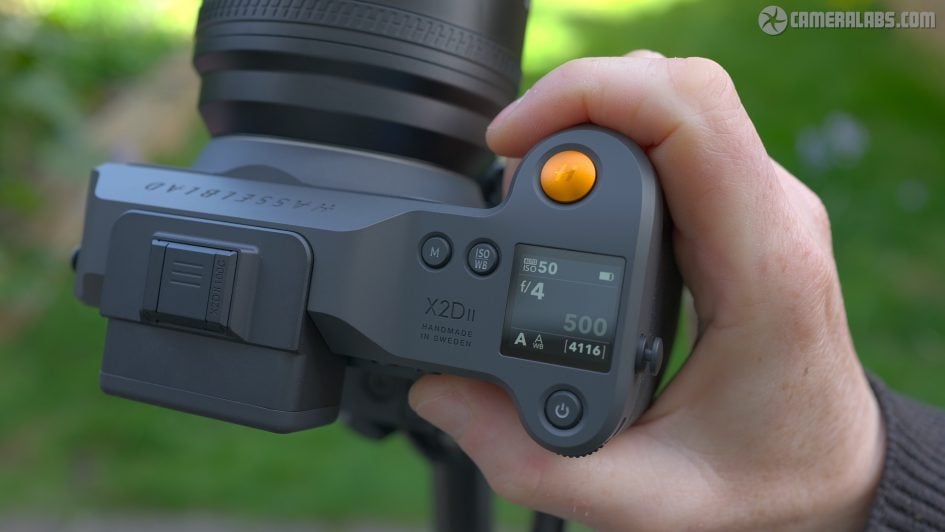
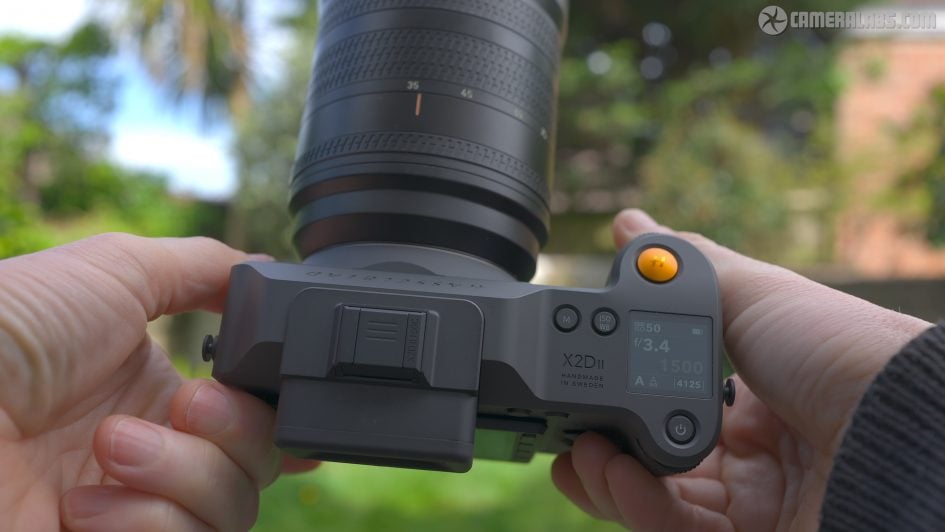
The controls are simple but effective with some additions to the previous model. Click the indented power button and you’ll quickly see the battery life indicated on the small information screen. Push and hold it down for the camera to fully power-up, and the upper screen displays a wealth of shooting information including the aperture and shutter speed, ISO, battery life, exposure mode, white balance and shots remaining.
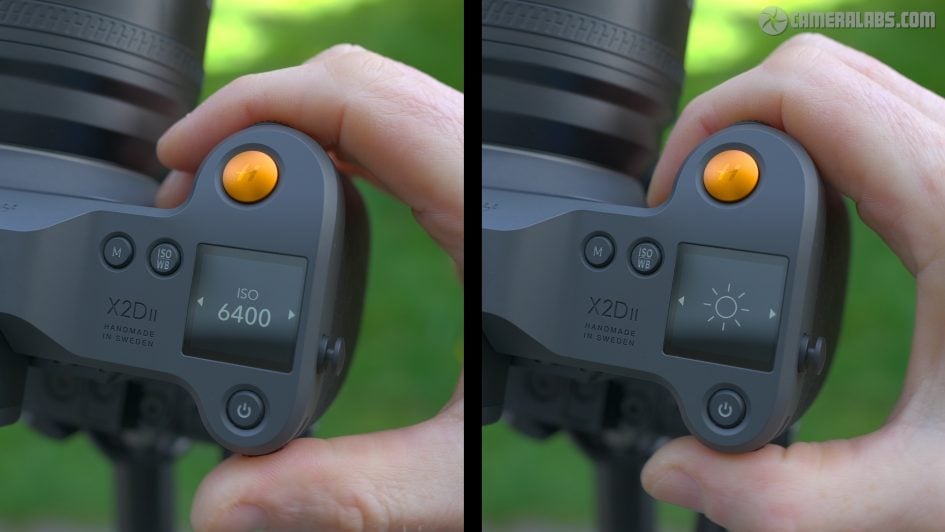
To the left are a pair of labelled buttons, one to adjust the exposure Mode with P, A, S, M and Auto options, and the other to adjust the ISO and White Balance. Just give them a push and turn either the front finger or rear thumb dials to adjust as desired. The shutter range runs between 68 minutes to 1/4000 with XCD lenses or up to 1/2000 or 1/800 with HCD or HC lenses respectively. Meanwhile the electronic shutter operates at up to 1/6000. The camera also features an interval timer, exposure bracketing and focus bracketing from the drive menu. Atop the grip is a large orange shutter release button, which matches the colour of some lens markings and menu selections.
Round the back to the side of the viewfinder are AE lock and back focus buttons, along with a four-way joystick with very positive operation, and an unlabelled custom button which joins a second custom button on the front. There’s more than just two custom buttons though, as the X2D II has push-to-click functions on both dials and the joystick, all of which can be customised, as well as letting you change the function of the Mode and ISO/ WB buttons on the top panel.
Meanwhile to the right side of the rear screen are four buttons, labelled with PlayStation-eque icons, which become clear after you start pushing them. At the top is of course the playback button, while below this, the circle button cycles through the display options. During composition views include a dual axis leveling gauge, brightness histogram, an alignment grid and focusing distance, while in playback you can see a clean view, shooting information and RGB or brightness histograms which again can include extended HDR tonal information.
The X button acts as a back, exit or delete button depending on the context, while the three lines at the bottom enter the menu system. Pushing this once displays a quick menu page with large and clear fonts or icons, many of which you can highlight using the joystick or by touch, before using the physical dials, joystick or a swipe with your finger to adjust. Push the menu button again and you’ll enter the more advanced options, but there’s no scrolling through endless pages of often inscrutable text. Instead everything’s on one page with 11 labelled icons to dive-into settings, including exposure, focus, quality and crop modes.
Again you can use any combination of the control dials, joystick or touchscreen to navigate and select the desired options, and I also like the large fonts and orange highlight that matches the shutter button. It’s all very clear and I appreciate the simple presentation versus some other camera menus and controls which can often feel like they’re designed to intimidate or confuse.
On the left side of the body are two large flaps which slide backwards with a satisfying click before springing open. The upper one is home to the USB-C port for charging and data transfer along with a 3.5mm port for an optional cable release. No mic or headphone jacks here as there’s no video.
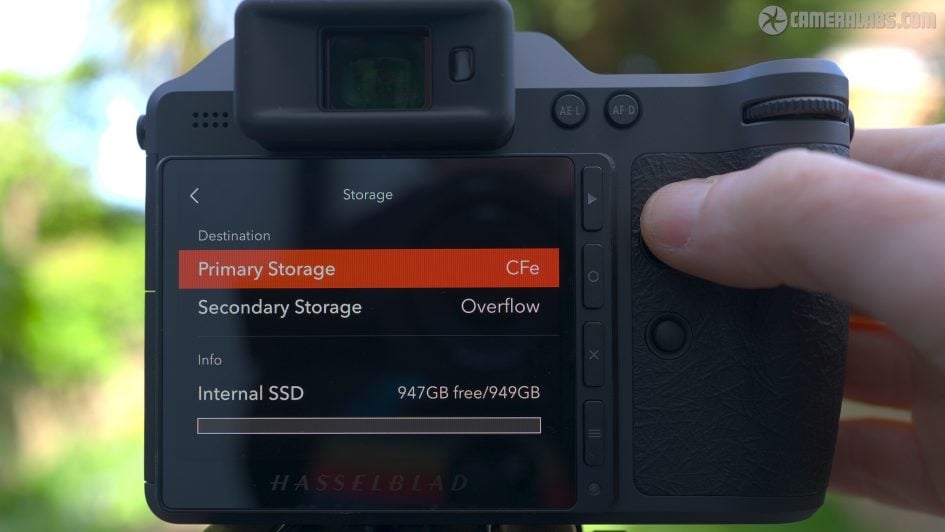
Below this is a single slot for Type-B CF Express cards, supporting capacities up to 512GB, but the X2D II also sports a built-in 1TB SSD, so it is possible to record to both for backup. It’s important to factor the built-in storage when comparing prices as it’s easy to spend the best part of a grand on 1TB of fast camera storage.
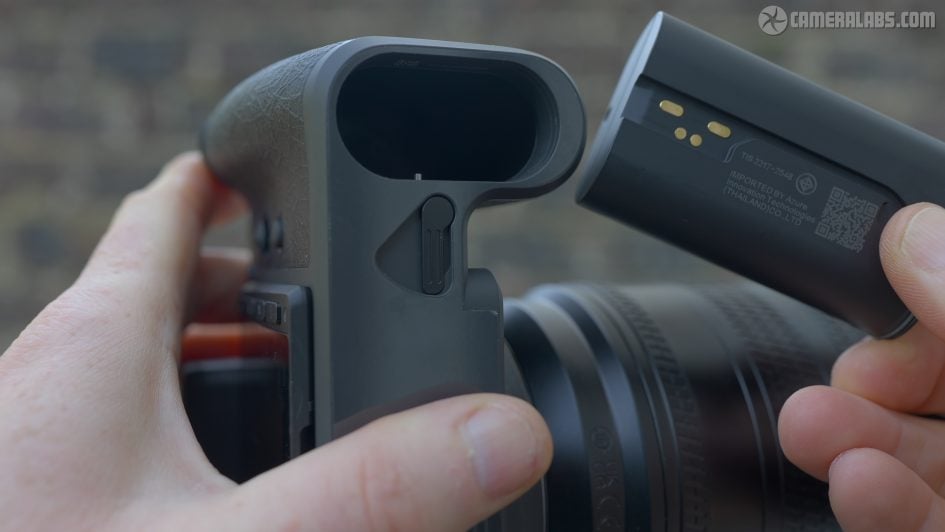
And finally the camera is powered by a 3400 mAh Lithium Ion pack, good for around 300 shots under CIPA conditions, or around 450 with HDR disabled. There’s no actual battery compartment door on the camera. Instead you push the lever alongside for the battery itself to pop-out a little, before you then push it back a little to fully release. Like the rest of the camera, it’s very satisfying in use.
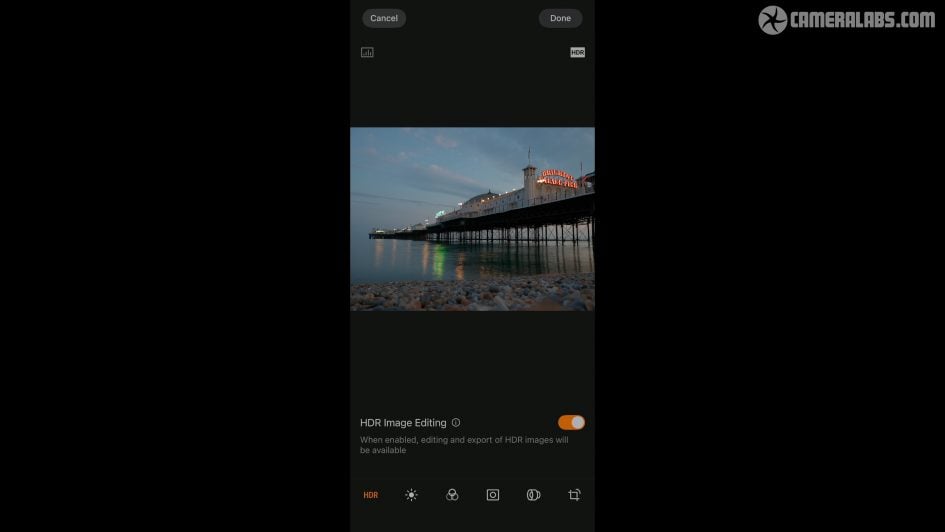
Before my verdict, a quick look at the latest Phocus Mobile 2 app for iOS devices. Once setup, the app can automatically wake-up the camera before displaying thumbnails of the storage. After selecting an image, you can tap the HDR icon in the app to toggle the HDR effect on and off as you can with the camera’s main screen. You can also share directly from the app or download images onto your device.
Once downloaded to your phone or tablet, Phocus lets you make a number of adjustments, as well as the ability to output RAW files into HDR-compatible JPEGs for display or sharing. It’s also possible to remote control the camera from your phone, including the chance to see a live image and tap to move the autofocus area.
Hasselblad X2D II 100C verdict
The Hasselblad X2D II is an unashamedly high-end camera that delivers not just on pure image quality with its 100 Megapixel medium format sensor, but also a refreshingly unique approach to control and handling. It all adds up to one of the most enjoyable cameras I’ve tested in a long time. For starters the build quality is fantastic, with the camera feeling supremely confident in your hands with rock-solid construction and a really comfortable grip. Composition is a highlight with one of the biggest viewfinder images I’ve seen, coupled with a large screen that goes way beyond most cameras to deliver similar brightness to a modern phone or professional monitor.
The autofocus represents a big upgrade over previous models, now supporting continuous AF with the latest lenses. Sure it’s not designed for sports or fast action, but it is perfectly suited to portrait, street and reportage along with traditional urban or natural landscapes.
The technology may be top-end, but the experience is refreshingly easy to use. The user interface is clean and simple, avoiding the countless pages and sub-menus of almost every other camera, and I love how haptic feedback can provide confirmation of focus or a level composition.
Meanwhile the IBIS allows you to handhold slower exposures than you might expect, allowing you to enjoy the quality without having to compromise on portability or sensitivity. It’s surprising how casually you can shoot with the X2D II while still enjoying the best it has to offer.
As for image quality, the 100 Megapixel sensor is unsurprisingly capable of tremendous detail, but you have to admire a company sufficiently confident in their processing that there’s no colour profiles to choose from, nor even an in-camera monochrome mode. Luckily the quality speaks for itself with natural-looking colours and tones, and a unique approach to HDR imaging that will have you reconsidering how you capture and present images.
Banish the ugly tone-mapped HDR of long ago and embrace modern screen technologies to display highlights that are genuinely brighter rather than just clipping or pulling them back. Other cameras may offer HLG-based photo options buried in menus, but the X2D II proudly leans into HDR as the default, using Hasselblad’s processing and crucially a screen and phone app that can actually show the effect. You’ll find yourself tapping both to demonstrate the higher brightness to others and wondering why more cameras don’t offer a similar approach. I can envision a lot of clients appreciating how their images pop and stand out against others. Best of all, unlike many cameras, it’s all presented very simply so you’ll start exploiting the full capabilities from day-one as opposed to devoting time to learn them.
I’m also pleased Hasselblad and Fujifilm have taken different approaches to using similar sensors. For example, GFX gives you support for video, a wealth of colour profiles, and a focal plane shutter that some may prefer. But overall I really enjoyed using the X2D II from the handling to the final output. It’s a refreshingly different and enjoyable pure photography experience, and one I feel justifies its price against increasingly sophisticated full-framers.
Check prices or buy the Hasselblad X2D II 100C at in the USA from B&H or Adorama. Buy it in the UK from WEX, or in Europe at Calumet.de. Buy used gear from MPB. Sell your used gear to MPB. Or why not treat yourself to a copy of my In Camera book, an official Cameralabs T-shirt or mug, or treat me to a coffee! Thanks!