Support Camera Labs by price checking using the flags below


Follow us!
Camera Labs RSS Feed
Camera Labs on Facebook
Camera Labs on Twitter


Latest camera reviews

Panasonic Lumix TZ10/ZS7
Canon EOS 550D / T2i
Canon PowerShot A3100IS
Olympus 'PEN' E-P2
Nikon COOLPIX S570
Canon IXUS 200 / SD980IS
Canon IXUS 120 / SD940IS
Sony Alpha DSLR-A550
Nikon COOLPIX L20
Canon PowerShot A1100IS
Canon PowerShot S90
Sony Alpha DSLR-A230
Panasonic Lumix GF1
Canon PowerShot G11
Canon IXUS 95 / SD1200IS
Canon EOS 7D
Sony Cyber-shot DSC-H20
Nikon D3000
Canon PowerShot SX120IS
Panasonic Lumix TS1 / FT1
Canon PowerShot D10
Canon PowerShot SX20 IS
Nikon D300s
Panasonic Lumix FZ38 / 35
Sony Alpha DSLR-A380
Sony Cyber-shot HX1
Nikon D5000
Nikon COOLPIX P90
Canon IXUS 100 / SD780IS
Panasonic Lumix TZ7 / ZS3
Canon PowerShot SX1 IS
Canon EOS 5D Mark II
Canon EOS 50D
Nikon D90
Canon EOS 1000D / XS

All reviews ....
   
 
  Best Buys: our top models
   
  Canon lenses
Nikkor lenses
Sony lenses
Budget DSLRs
Mid-range DSLRs
Semi-pro DSLRs
Point-and-shoot compacts
Superzoom / top compacts
Camera accessories


Camera Labs Forum

Any questions, comments or a great tip to share? Join our Forum and let everyone know.
   
 
  DSLR Tips


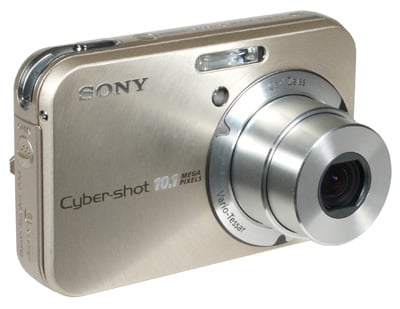
Sony Cyber-shot DSC-N2 Gordon Laing, November 2006

Lenses
/ Screen and menus / Sensor and processing


Sony Cyber-shot DSC N2 screen and menus


The rear of the Sony Cyber-shot N2 is dominated by its huge 3in colour screen – this is noticeably larger than the 2.5in screens of other compacts such as the Canon A640 and Fujifilm F30 pictured alongside it below. Like an increasing number of compacts these days, there’s also no optical viewfinder on the N2, so you’ll be using the screen for all composition. Luckily it’s pretty easy to view even in direct sunlight, but if you’re concerned you may wish to check this out for yourself in person.


Support this site by price checking below

Sony NP-BG1 rechargeable battery


Pressing the monitor button in the bottom right corner of the N2 presents further exposure information, and impressively for a compact, a live histogram option. The N2 doesn’t offer a grid option though which is a shame as they’re very useful for alignment.

The N2’s screen features 230,400 dots which matches the resolution of the best 2.5in screens, although the extra half inch makes it look fractionally more coarse. The really unique thing about the N2’s screen though is that it’s touch-sensitive. This may be no different from the earlier N1, but even one year on it still seems quite futuristic in operation.


Pretty much all the N2’s options and menus are navigated and selected by tapping the screen, and it’s an approach you’ll either love or hate. You start by pressing one of the few buttons on the N2’s rear surface, indicated, appropriately enough, with an icon of a finger.


If you’re in Record mode, this pops up a list of seven icons in boxes which should be tapped to make any changes. Running down the left side are the exposure mode, exposure
compensation and focus mode, while down the right side are flash mode, self-timer, macro mode and resolution. A box in the lower left corner presents further Menu options.


These all work in similar ways. For example, tap the exposure mode icon and you’ll be presented with a new menu offering Auto, Program, Manual or High Sensitivity, with a series of scene presets on two further screens you can get to by tapping up and down arrows in the lower right corner. Simply tap the mode you want, or the return box in the top right corner to go back to the last page.


Tapping the Menu box in the lower left corner of the first screen allows you to change settings supported by the particular exposure mode you’re using; these could include colour mode, metering, white balance, ISO, JPEG compression, drive mode, bracketing options, flash level, contrast, sharpness and further Setup options.


Tapping Setup takes you to a series of eight configuration menus covering items including digital zoom, formatting the card or internal memory, and management of the N2’s unique Album facility which we’ll describe on the next page. Switching the N2 from photo record to its movie or playback modes alters the menus to present relevant options.


Using the touch-screen is a little odd at first, but you get used to it pretty quickly and it’s certainly a fun way of getting around the camera. It’s easy to use with gloves and Sony’s also implemented some neat ideas like tapping where you’d like the camera to focus in Spot mode or painting over images with your finger. One downside is the screen’s surface understandably gets covered in fingerprints pretty quickly, but these aren’t distracting when the screen’s switched on. Sony also supplies a stylus to prod the screen if you'd prefer.

Ultimately the touch screen operation is something you’ll either love or really not get on with though, so if you’ve not come across it before, perhaps on one of Sony’s recent camcorders, then we’d advise trying it for yourself before buying.


Sony Cybershot N2 features continued...

Lenses / Screen and menus / Sensor and processing


Support this site by checking prices below or shopping via our affiliate stores


USA readers


UK readers
Jessops discount voucher
All words, images, videos and layout, copyright 2005-2010 Gordon Laing. May not be used without permission.

About Us / How we test / Best Buys / Advertising / Home