Support Camera Labs by price checking using the flags below


RSS Feed Camera Labs RSS Feed


Latest camera reviews

Olympus Stylus µ 1050 SW
Canon EOS 5D Mark II
Pentax Optio W60
Panasonic Lumix FZ28

Sony Cyber-shot DSC-T77
Canon PowerShot SX10 IS
Canon PowerShot A2000IS
Canon PowerShot G10
Canon IXUS 870 / SD 880IS
Sony Alpha A900
Canon EOS 50D
Nikon D90
Panasonic Lumix LX3
Canon EOS 1000D / XS
Nikon D700

Olympus E-520
Canon EOS 450D / XSi
Sony Alpha A350

Panasonic Lumix TZ5


All reviews ....
   
 
  Latest DSLRs


Canon
Olympus
Pentax
Nikon
Panasonic
Sony
     
 
  Best Buys: our top models


Compacts / Super-zooms
Budget DSLRs / Mid-range DSLRs / Semi-pro / Lenses


Camera Labs Forum

Any questions, comments or a great tip to share? Join our Forum and let everyone know.
   
 
  DSLR Tips


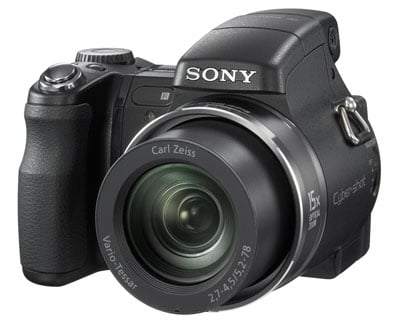
Sony Cyber-shot DSC-H9 Gordon Laing, May 2007

Lenses and SteadyShot / Screen and menus / Sensor and processing


Sony Cyber-shot DSC-H9 sensor

The Sony H9 is equipped with a 8.1 Megapixel Super HAD CCD sensor measuring 1/ 2.5in and delivering 4:3 aspect ratio images with a maximum resolution of 3264x2448 pixels; this gives it a small resolution advantage over the 7 Megapixel 1/ 2.5in sensors of the Olympus SP-550UZ and Panasonic FZ8, although the Panasonic FZ50 sports a higher 10 Megapixel sensor which is also physically slightly larger being a 1/1.8in type.

  Sony Cyber-shot DSC-H9 quality menu Sony Cyber-shot DSC-H9 quality HDTV


Support this site by price checking below

Olympus SP-550UZ


Panasonic Lumix DMC-FZ8

One of the biggest surprises about the Sony H9 occurs as you change the quality settings: there’s no compression options. Normally we’d complain about only having Standard and Fine to choose from and commend Olympus for its additional superfine SHQ mode, but with the H9 there’s amazingly no compression options at all, and no RAW recording option either. This is a serious omission for a camera of its class, especially considering both the Olympus SP-550UZ and the Panasonic FZ8 feature a choice of compression levels and RAW modes too.

As it stands the H9 offers just six quality options: 8M, 3:2, 5M, 3M, VGA and 16:9. The 3:2 mode uses the H9’s full image width but crops at the top and bottom, while the 16:9 mode actually records at a reduced resolution of 1920x1080 pixels to suit HD TVs and the optional component video cable. Images recorded using the best-quality 8M mode also appeared to employ relatively high compression, working out between 1.7 and 2.5MB each – see our Gallery page for examples.

  Sony Cyber-shot DSC-H9 ISO menu

The H9 offers a broad range of sensitivities from 80 to 3200 ISO and you can easily select them using the thumb dial on the back of the camera. Rather than reveal all the ISO numbers though, only the currently selected value is shown discreetly in the bottom left corner – see screen. When using continuous shooting or exposure bracketing, the ISO range is only available up to 400 ISO.


Sony Cyber-shot DSC-H9 colour and white balance

Sony Cyber-shot DSC-H9 white balance  
 

Pressing the Menu button allows you to scroll down and switch between the H9’s various White Balance options: auto, daylight, cloudy, the choice of three fluorescent presets, incandescent, flash and custom.


Sony Cyber-shot DSC-H9 contrast menu Sony Cyber-shot DSC-H9 sharpness menu
   

Below these in the H9’s Menus are options to adjust the contrast and sharpness by three settings each. The contrast menu also offers a DR option to adjust the contrast automatically depending on content – we used this default setting for all our H9 samples.


Sony Cyber-shot DSC-H9 colour mode  


The Sony H9 also offers the choice of five different colour modes: Normal, Vivid, Natural (subdued), Sepia and Black and White. We used the default Normal setting for our samples and combined with the default DR Contrast setting, it delivered punchy, but not unnatural-looking images.

There are no noise reduction settings though which is a great shame when you see the effect of noise reduction on many of our H9 samples. This along with the limited range of quality options are serious downsides to the H9 and a strange decision for this kind of camera.

Sony Cyber-shot DSC-H9 continuous shooting

Sony Cyber-shot DSC-H9 continuous shooting Sony Cyber-shot DSC-H9 bracket menu
   

The Sony H9 offers a continuous shooting mode and a selection of exposure bracketing options accessed by pressing the dedicated Burst / Brk button on the top surface. By default the H9 starts in Normal mode for single shots. Press the button once and you’re in Continuous shooting mode. Press it again and you’re in Brk +/-0.3 mode which fires off three shots in quick succession with exposure bracketing of -1/3 EV and +1/3EV. Then there’s two further bracketing modes which extend the compensation to +/-2/3EV and +/-1EV.

Sony quotes a continuous shooting rate of just over two frames per second up to 100 frames. We fitted a 256MB Sony Memory Stick Pro Duo and fired off 20 frames in 9.8 seconds, confirming Sony’s rate. It’s certainly not particularly speedy in terms of continuous shooting, but at least you can keep shooting for long sequences.

Sony Cyber-shot DSC-H9 Night Shot

Sony Cyber-shot DSC-H9 night shot
 

One of the unique features of the Sony H9 is NightShot. This employs an infra red lamp on the front of the body to illuminate and photograph subjects in complete darkness. This is a fun feature resurrected from earlier Cyber-shots and we’re pleased to see its return.

In practice the infra red lamp works like a low power torch, only illuminating a small area and only over a short distance. When composing you see an eerie greenish glow to the scene and people’s eyes have strange reflections.

Where NightShot on the H9 differs from earlier implementations though is when you press the shutter release, the eerie green image is what you capture. On older models there was an alternative Night Framing mode which used the IR lamp for composing a shot in darkness before firing the flash to take a normal colour image.

It’s a shame this isn’t implemented on the H9, but there’s no denying it’s still quite unique to be able to take photos in complete darkness. We’ve got a demonstration of NightShot in our Sony H9 video tour.

Sony Cyber-shot DSC-H9 movie mode

Sony Cyber-shot DSC-H9 video mode


The Sony H9’s video mode can record video at 640x480 pixels in 30 or 16.6 fps or at 320x240 pixels in 8.3 fps. Clips are recorded in the MPEG format and best quality 30 fps VGA movies consume about 1.28 Megabytes per second.

The quality is good, although it’s a shame Sony hasn’t embraced 16:9 movie recording like Panasonic – especially since it now has an optional cable designed for use with HDTVs. On the upside though, the optical zoom actually works while you’re filming and if you press the zoom rocker gently for the gradual zoom option, the motor sound is not too loud.


Sony Cyber-shot DSC-H9 features

Lenses and SteadyShot / Screen and menus / Sensor and processing


Support this site by checking prices below or shopping via our affiliate stores


USA readers


UK readers
Jessops discount voucher
All words, images, videos and layout, copyright 2005-2009 Gordon Laing. May not be used without permission.

About Us / How we test / Best Buys / Home