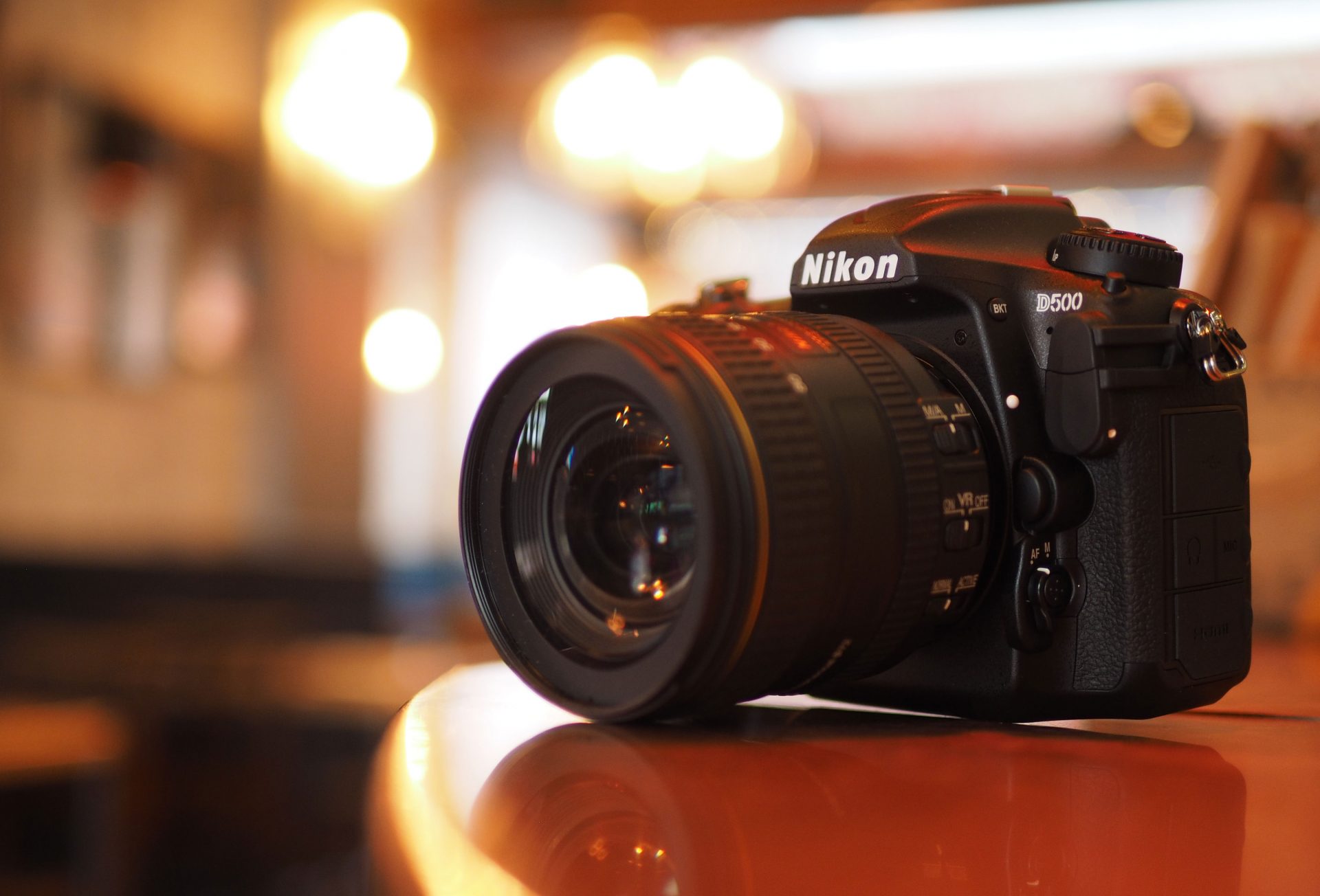
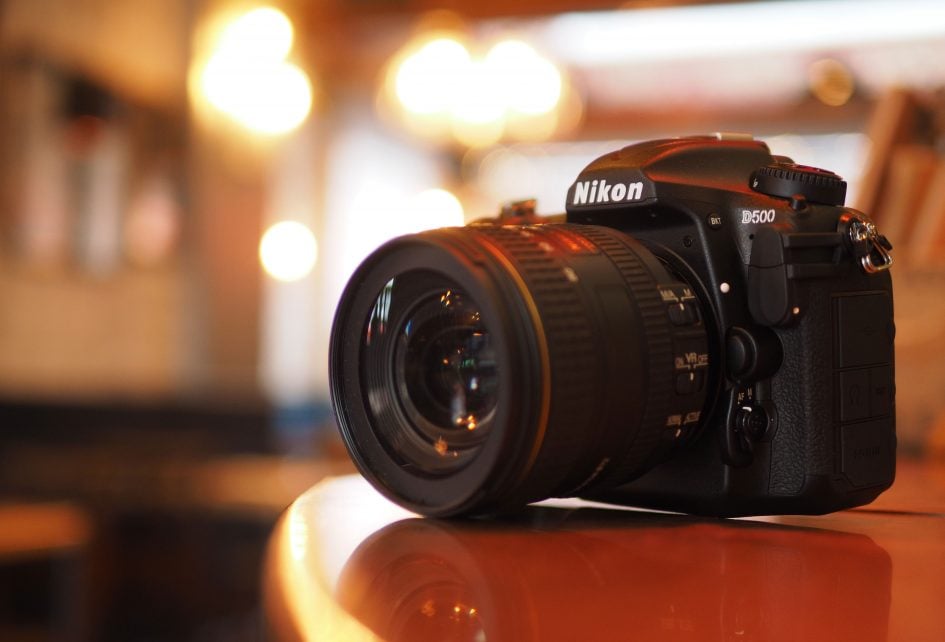
 The D500 marks Nikon's welcome return to the high-end APSC DSLR market. The combination of a new 20 Megapixel sensor, 10fps continuous shooting, a deep buffer (especially if you're using XQD cards), and a new 153-point AF system shared with the D5, makes for a supremely confident camera. In my tests the D500 effortlessly tracked any subject I pointed it at, rattling-off bursts of focused images with eerie precision and consistency. On top of that you're getting a large viewfinder, twin memory card slots, tough build quality, and backlit buttons which make it easy to use in the dark. It also features a large and detailed screen that's touch-sensitive and tilts vertically, and allows you to record 4k UHD video in addition to 1080p. Learn how to configure SnapBridge and you'll also enjoy one of the easiest ways to wirelessly tag and share your images. Sports and wildlife photographers will love the D500 which is arguably the most confident APS-C DSLR to date.
Nikon D500 review
-
-
Written by Gordon Laing
Verdict
The D500 marks Nikon’s welcome return to the high-end APSC DSLR market. It’s been a considerable six and a half years since its predecessor the D300s, leading many to believe Nikon had abandoned this category, conceding it to Canon’s EOS 7D series. During this time Nikon steadily maintained three lower classes of APSC DSLRs, but while the D7000 series is undoubtedly impressive for the money, it lacks the features, build, speed and connectivity desired by pros and demanding enthusiasts. But when the flagship D5 was launched in early 2016, it was joined by an unexpected sibling: the D500. A new pro APSC / DX-format body had finally arrived and, as befits a camera with its heritage and expectations, looked like it would deliver the goods in both modern and traditional respects.
I’ll cut to the chase and say sports and wildlife photographers will love the D500. The combination of a new 20 Megapixel APSC sensor, 10fps continuous shooting, a deep buffer (especially if you’re using XQD cards), and a new 153-point AF system shared with the D5, makes for a supremely confident camera. I’ve always felt Nikon enjoyed an edge over Canon in terms of continuous AF and the D500 further cements this belief. In my tests the D500 effortlessly tracked any subject I pointed it at, rattling-off bursts of focused images with eerie precision and consistency. I also loved how the AF area extends almost to the very side edges of the DX frame, leaving only small strips at the top and bottom unattended. Coupled with a new metering sensor which has sufficient resolution to perform respectable face detection through the viewfinder, the D500 can track, focus and meter for subjects almost anywhere on the frame.
On top of that you’re getting a large viewfinder, twin memory card slots, tough build quality, and backlit buttons which make it easy to use in the dark. But the D500 is about more than just traditional photographic values. It also features a large and detailed screen that’s touch-sensitive and tilts vertically, allows you to record 4k UHD video in addition to 1080p, and is one of the first Nikon cameras to debut the company’s SnapBridge wireless technology. I’ve gone into great detail about all of these in my main review, but will briefly reiterate the pros and cons here.
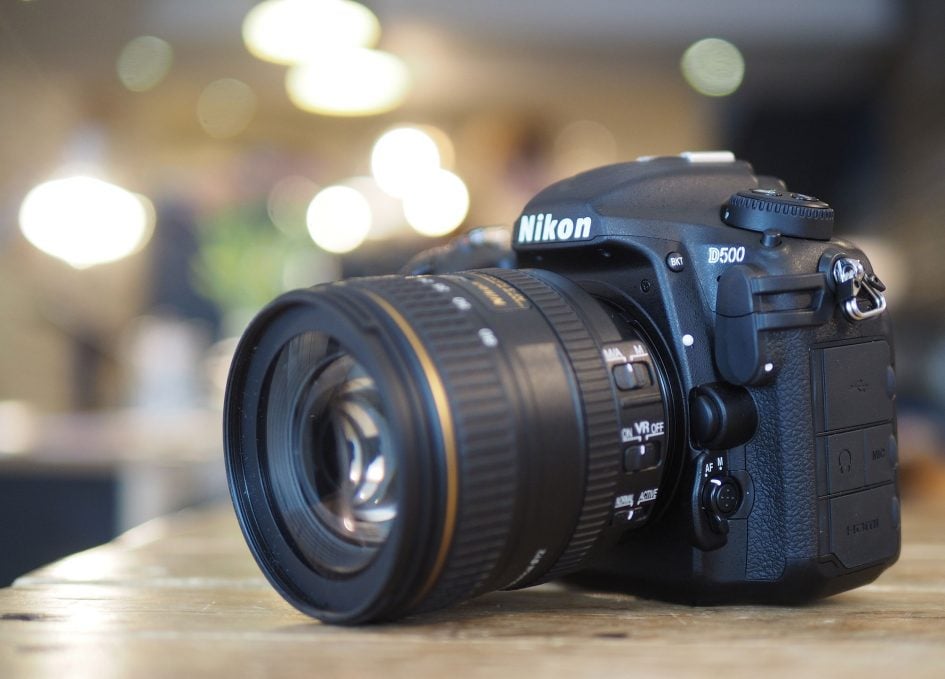
You already know about the focusing, but I’ll reiterate the D500 is triumphant for sports and wildlife shooting. It’s as good an AF system as I’ve tested anywhere and, coupled with fast continuous shooting, deep bursts and a large optical viewfinder, feels capable of handling pretty much anything you throw at it. Yes, you’ll need an XQD card to achieve the 200 frame RAW buffer, but even with an SD card I managed over 30 RAW frames or over 100 JPEGs.
The body, as you’d expect, is also immensely satisfying to use. It’s tough but comfortable and if you’ve shot with Nikons before you’ll find it all very familiar. But Nikon has not stood still – the new AF joystick is a useful addition for shifting the AF point around and as someone who’s frequently shooting long exposures in dim conditions I absolutely loved the backlit buttons, a first on a DX body. Ergonomics are something Nikon – and Canon – nailed a long time ago and their higher-end bodies are a joy to shoot with, so long as you don’t mind the heft.
If you’ve read any of my reviews, you’ll know I appreciated having an articulated touchscreen and while Nikon has been a little conservative over what you can do by touch compared to, say, Panasonic, it remains a useful feature for adjusting the AF area in live view or while filming video. Like the D750, the bracket also feels very solid in use.
Thanks to the sensor size and viewfinder magnification, the D500 delivers one of the biggest viewfinder images for an APSC DSLR. Of course that still makes it comfortably smaller than the image delivered by the best electronic viewfinders, but as an optical technology it won’t slow down, become noisy or consume much power. Equally you can’t use it to preview effects or styles, shoot video or playback images, but as I always say, there’s pros and cons to both technologies and as far as optical viewfinders are concerned, the D500 has arguably the best in its class.
The image quality is up there with the best APSC bodies to date, with the 20 Megapixel sensor delivering a good balance of resolution, dynamic range and noise performance, although as you’d expect the mega-extended ISOs are not particularly usable. While there are benefits to be gained from shooting RAW (like most Nikon and Canon bodies), I was also impressed with the metering and processing straight-out-of-camera, with the D500 delivering very satisfying JPEGs with little effort. I also found exposures as long as four minutes were clean without the need for long exposure noise reduction.
The addition of 4k video is an important one and now leaves Canon looking increasingly old fashioned. The D500 also gives you plenty of movie options with full exposure control, power aperture for smoother and quieter aperture adjustments, microphone and headphone jacks, and the chance to record half hour 4k clips without overheating. The decision to take a 1:1 crop for 4k video also means the quality is crisp and free from scaling artefacts, although on a 20 Megapixel sensor it comes at the cost of a further 1.5x field reduction on top of what was already 1.5x due to the APSC sensor. That totals a 2.25x reduction when filming 4k, which means it’s hard to achieve very wide coverage: a 16mm lens becomes equivalent to 36mm, and even a 10mm becomes a modest 22.5mm. It’s also worth pointing out the cropped region of the sensor used for 4k video is roughly the same area as the 1.1x crop Panasonic employs for 4k on models like the Lumix G7 and GX80 / GX85, albeit the D500 with no pixel-wrangling.
Arguably the bigger issue for the D500’s movie mode though is focus. Like earlier Nikon bodies, the AF for movies and live view remains contrast-based and is both leisurely and audible in use. Nikon continues to lack embedded phase-detect AF on its APSC and full-frame sensors, and its lens motors are much more audible than Canon’s STM lenses or those on mirrorless rivals. Once you’ve seen and heard Nikon’s movie AF in action you’ll almost certainly turn it off and manually focus instead, but then you’ll curse it for not offering focus peaking. The absence of peaking makes it hard to manually focus effectively when filming, especially with the added precision demanded by 4k. Of course you could connect an external monitor with focus peaking, but for those who want movies with smooth, quiet and confident AF, I’d steer you towards Sony or Canon; I should also say that while Panasonic still employs contrast-based AF, it too is more confident than the Nikon and again much quieter too.
Finally I’ll move onto SnapBridge. I’ve written a lot about it in the main review and I’d encourage you to read it if you’re interested in the technology. The bottom line though is I actually found it surprisingly effective at what it was designed to do – namely tagging images with their location and transferring low-res versions onto your phone for sharing.
Thanks to an always-on Bluetooth link, this can all take place without intervention or prompting, so while the actual data transfer speed is much slower than Wifi, the fact it’s happening behind the scenes means you will almost always have your images tagged and ready for sharing sooner and more easily. I should know too as I almost always use Wifi to transfer images from other cameras to my phone before sharing and while the data transfer is quick, the actual conscious process of establishing and requesting a transfer takes time and normally involves you sitting down for a moment or at least pausing. In contrast, SnapBridge can tag an image with your location in about two seconds and get a 2 Megapixel version onto your phone about ten seconds later. So as you playback an image straight after taking it, the position will probably already be embedded, and in the time it takes you to pull your phone from your pocket, a 2 Megapixel version should be waiting for you.
It’s not perfect of course. Shoot a large burst, opt to transfer 20 Megapixel originals or, God forbid, choose both at the same time, and you’ll quickly find yourself in a bottlenecked queue that takes an age to clear. As such you should learn when to enable and when to disable the feature. I should also add that if you choose the option to copy images over Wifi instead, you’ll find Nikon’s implementation is one of the slowest around. It typically took half a minute to establish a connection and the same again to build a page of thumbnails before it would even let me select an image to copy over. The Wifi remote control is also extremely basic with no control over exposure – you can compose and tap to focus, but that’s about it.
Nikon D500 vs Canon EOS 7D Mark II
The biggest rival for the D500 is of course Canon’s EOS 7D Mark II, and there’s a number of specifications they share, including the 20 Megapixel resolution, although it’s worth looking more closely as there are important differences too. Both cameras offer optical viewfinders with 100% coverage and 1x magnifications for large, bright and accurate views, but while the Canon’s AF system is respectably broad across the frame, the D500’s is even broader and denser too. Indeed it extends pretty much to the sides, leaving just smalls trips at the top and bottom unmonitored.
Nikon also gains the upper hand on continuous shooting: both the D500 and the 7D Mark II can shoot at 10fps, but the Nikon’s buffer is deeper, allowing it to capture up to 200 RAW frames in a burst compared to just over 20 on the 7D Mark II. Sure you need an XQD card to achieve that depth, but even with an SD card I managed over 30 RAW frames on the D500.
In terms of movies, the D500 appears to take the lead with 4k vs 1080p only on the Canon, and makes it easier to frame too with a tilting touchscreen. But Canon’s Dual Pixel CMOS AF technology means the EOS 7D Mark II offers confident continuous AF that really can track moving subjects, such as people walking towards the camera. In contrast, the D500 struggles with movie – and live view – AF. You’ll need to weigh-up 4k quality vs movie AF yourself.
An area where the D500 takes the lead over the 7D Mark II regards wireless communications. The EOS 7D Mark II was equipped with a GPS receiver but unforgiveably didn’t offer Wifi. In contrast, the D500 has Wifi with NFC and also a Bluetooth, the latter supporting Nikon’s new SnapBridge technology which allows the camera and phone to remain connected with a low-power link. As discussed at length above and especially in the main review, SnapBridge isn’t perfect, but it does make it very easy to tag images with their location and transfer low resolution versions to your phone for sharing.
I’d say unless you need autofocus while filming movies, the D500 is the preferable choice between the two cameras. But then it is newer and more expensive too. See my Canon EOS 7D Mark II review for more details
If you’re not wedded to an optical viewfinder for shooting action, and are simply after a high-end body for general-purpose use, then I’d also urge you to check out the wealth of mirrorless options available. For me the leaders include the Olympus OMD EM5 Mark II and Fujifilm XT1 at roughly half the price, Sony’s A7r Mark II as a high-res full-frame all-rounder, and Sony’s A6300 as a compact and affordable body that’s surprisingly capable at shooting action. Each name is linked to their respective reviews.
Nikon D500 final verdict
There’s no doubt the D500 is a very impressive DSLR – arguably the most powerful with an APSC sensor to date. It delivers professional handling that’s supremely confident in use, rattling-off fast and deep bursts of focused, well-exposed action. The more I shot with the D500, the more I reveled in how easy it made sports and wildlife photography. Learn how to configure SnapBridge and you’ll also enjoy one of the easiest ways to wirelessly tag and share your images.
It’s definitely the body D300s owners have been waiting for. The big question is whether any of those D300s owners are still waiting for an upgrade from Nikon or if they’ve already moved on, perhaps to Canon’s 7D Mark II, or to full-frame, or even to mirrorless. Six and a half years is a long time without any indication of a high-end DX successor and Nikon’s lens development has been almost entirely concentrated on full-frame during that time. I should say though, the new DX 16-80mm f2.8-4 VR is a worthy companion for the D500 and the first DX lens to feature Nano coatings.
Ultimately though I think like Canon’s 7D Mark II, the D500 finds itself appealing to an increasingly specialist audience. There’s no doubt wildlife and especially bird photographers will adore it, while sports photographers who can’t afford (or don’t want to lug around) the D5 will also delight in having many of its capabilities squeezed into a smaller, lighter and more affordable form factor. Both groups will also appreciate the field-reduction and broader AF coverage of the crop sensor. I expect many D5 owners to consider it as a backup body and may, shock-horror, even prefer it in some respects.
But for movies or general-purpose use, the D500 finds itself up against some tough rivals. Canon’s EOS 7D Mark II may not offer 4k, but it does boast some of the most convincing movie AF around, albeit up to a maximum of 1080 / 30p. Panasonic’s Lumix GH4 gives you 4k (in UHD and Cinema 4k varieties) along with slow motion 1080p in a smaller, lighter and cheaper body that still sports weather-sealing. If you desire full-frame, you could go for Nikon’s own D750 for the same money or one of Sony’s numerous A7 bodies, several of which are at a lower price. Cheaper still, models like the mirrorless Olympus OMD EM1, OMD EM5 Mark II or Fujifilm XT1 deliver highly compelling general-purpose options for the money. Even the Sony A6300 is proving mirrorless can have a decent stab at action photography with a compact and low(ish) cost body.
Ultimately it boils down to whether you prefer optical or electronic composition. If you prefer a traditional DSLR optical viewfinder, then you have to ask yourself if you’d exploit the D500’s powerful AF, fast shooting and or 4k video. If you’re answering yes, then the new Nikon should be high on your list. You should of course still weigh it up against the EOS 7D Mark II which at the time of writing costs about three quarters of the price and still boasts superior movie AF, although is now outgunned in many specifications by the D500. And again there’s Nikon’s own D750 which may not be as quick nor feature 4k video, but gives you a full-frame DSLR for the same money.
Whatever your choice I’m very happy to see Nikon re-enter the high-end APSC market and there’s no doubt the D500 is an extremely confident and impressive body. I am however curious to see how committed Nikon is to DX going-forward as a high-end format for both bodies and lenses, and crucially how many photographers will consider it their ideal general camera in 2016. But once again if you’re a sports or wildlife shooter looking for a tough and confident DSLR, it’s easy to recommend.
Note: at the time of writing, there were reports of incompatibilities with the D500 when used with certain XQD cards or older batteries. Nikon has offered D500 owners the chance to swap EN-EL15 packs manufactured before 2013 and labeled with Li-ion01 for newer batteries which behave as expected with the body. As for XQD, I can’t comment as I only used SD with the camera, so if you’re going for this format I’d suggest searching for specific brands and models to see which ones to buy or avoid.
Good points
Very good quality images from 20 Megapixel APSC sensor.
153-point AF system with very broad coverage and auto fine-tuning.
10fps shooting with deep buffer, especially with XQD cards.
Large, bright viewfinder with LCD overlays.
Tough weatherproof body.
Superb controls including AF joystick and backlit buttons.
High resolution tilting touchscreen.
4k video, flat profile, headphone and mic jacks, power aperture.
Built-in Wifi with NFC and ‘always-on’ Bluetooth.
Bad points
Poor movie autofocus, no focus peaking, no 1080 above 60p.
Very basic smartphone remote control.
SnapBridge bottleneck when shooting bursts or copying 20MP images.
4k video involves a tight 1.5x crop – a total field reduction of 2.25x.
No truly silent shooting.
Expensive if you don’t need top-end sports and wildlife performance.