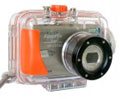
Fujifilm FinePix F30
-
-
Written by Gordon Laing
Intro
Fujifilm’s FinePix F30 was announced in February 2006 as the successor to the popular F10 and since then has become one of the most awarded and recommended compact digital cameras this year. Much of this was down to Fujifilm’s very sensible decision to step back from the unnecessary Megapixel race and instead concentrate on delivering a compact that would deliver high quality images at high sensitivities.
Decent performance under low light cannot be underestimated for a compact digital camera, as it’s arguably where it will be used more than any other situation. After all, while compacts are perfectly good for capturing outdoor shots under bright conditions, many end up working hardest indoors or at evenings, photographing people in often relatively dark surroundings.
|
Here the F30 excels, offering very natural flash performance or even the option to shoot without the flash altogether thanks to unusually high ISO modes. Boasting a 3200 ISO option, the F30 offers higher sensitivity than any other compact and indeed many DSLRs too. It also inherits the Aperture and Shutter Priority modes of the European-only F11.
 |
It sounds like the ideal compact camera, but how do the promises work out in practice? We’ve seen some horrible results at high ISOs from other compacts, so were keen to see if the F30 could live up to its reputation. To find out we’ve been using the F30 for an extended period of over four months, allowing us to test its claims along with seeing how it measures-up against the very latest high resolution compacts. In our full review we’ll also discuss the differences between the F30 and the enhanced F31fd version, announced in September 2006. For an overview of the F30 and its headline features, check out our video tour.
Testing notes
Following our convention of using default factory and best quality JPEG settings to test cameras unless otherwise stated, the F30 was set to its best quality 6MF mode, Auto White Balance, Multi Metering and the Standard F-Mode colour mode.
Support this site by checking prices above or shopping via our affiliate stores |