Support Camera Labs by price checking using the flags below


Follow us!
Camera Labs RSS Feed
Camera Labs on Facebook
Camera Labs on Twitter


Latest camera reviews

Panasonic Lumix TZ10/ZS7
Canon EOS 550D / T2i
Canon PowerShot A3100IS
Olympus 'PEN' E-P2
Nikon COOLPIX S570
Canon IXUS 200 / SD980IS
Canon IXUS 120 / SD940IS
Sony Alpha DSLR-A550
Nikon COOLPIX L20
Canon PowerShot A1100IS
Canon PowerShot S90
Sony Alpha DSLR-A230
Panasonic Lumix GF1
Canon PowerShot G11
Canon IXUS 95 / SD1200IS
Canon EOS 7D
Sony Cyber-shot DSC-H20
Nikon D3000
Canon PowerShot SX120IS
Panasonic Lumix TS1 / FT1
Canon PowerShot D10
Canon PowerShot SX20 IS
Nikon D300s
Panasonic Lumix FZ38 / 35
Sony Alpha DSLR-A380
Sony Cyber-shot HX1
Nikon D5000
Nikon COOLPIX P90
Canon IXUS 100 / SD780IS
Panasonic Lumix TZ7 / ZS3
Canon PowerShot SX1 IS
Canon EOS 5D Mark II
Canon EOS 50D
Nikon D90
Canon EOS 1000D / XS

All reviews ....
   
 
  Best Buys: our top models
   
  Canon lenses
Nikkor lenses
Sony lenses
Budget DSLRs
Mid-range DSLRs
Semi-pro DSLRs
Point-and-shoot compacts
Superzoom / top compacts
Camera accessories


Camera Labs Forum

Any questions, comments or a great tip to share? Join our Forum and let everyone know.
   
 
  DSLR Tips


Fujifilm FinePix F30 Gordon Laing, November 2006

Fujifilm FinePix F30 design and build quality

The Fujifilm FinePix F30 may not be the slimmest or flashiest compact on the market, but certainly feels solid and very well-built. Measuring 93x57x28mm, it’s a little too thick to squeeze into the smallest pockets, but will easily slip unobtrusively into a coat or jacket. The F30’s pictured below alongside the Canon PowerShot A640 and Sony Cyber-shot DSC N2.

from left: Fujifilm F30, Canon A640 and Sony N2


With a fairly flush front and rear surface, there’s not a great deal in the way of a grip on the F30, but Fujifilm’s included a small raised strip on the front and some rubber dots on the back to rest your middle finger and thumb respectively. Perhaps recognising this isn’t quite sufficient for secure single-handed operation, the front strip has been enlarged on the more recent F31fd version.

The F30’s upper surface is home to the power button, mode dial and shutter release button. The dial has six positions: Auto, Manual, Aperture / Shutter Priority, Movie, Picture Stabilisation and Scene.

from left: Fujifilm F30, Canon A640 and Sony N2 - top view


NP-95 battery for F30


Click here for the FinePix F30 video tour

Manual mode is a little deceptive, as it doesn’t actually allow you to change the aperture or shutter speed directly. In fact it’s Automatic, but with the facility to change the exposure compensation, white balance, AF and metering modes.

Fujifilm F30 mode dial
 

For direct control over the aperture or shutter speed you’ll need to turn the mode dial to the A / S position. Like the earlier F11, the Aperture and Shutter Priority modes share the same position on the dial, and you’ll need to choose the one you’re after from a menu. While many photographers admittedly tend to use one mode much more than the other we’d still prefer to have a separate position for each on the dial – it wouldn’t clutter it unnecessarily.

The Picture Stabilisation mode selects a higher sensitivity to allow faster shutter speeds, while the Scene position allows you to choose from 15 presets. We’ll describe these and the full exposure details in the Features pages.

On the back of the camera a four button rocker doubles-up for navigating menus and adjusting the macro, self-timer (two or ten seconds), flash and screen brightness options. Two buttons below the rocker adjust the display and exposure compensation settings, while two above put the camera into Play, or activate the F-Mode menu.

In record mode, the F-Mode button presents ISO, quality and colour tone options. If you want to change the metering, white balance, AF or continuous shooting modes you’ll need to press the Menu / OK button in the middle of the four-way rocker. We understand separating these onto two different buttons and menus allows the F-Mode options to be kept simple, but there’s an argument for providing access to them all from a single button and menu. This is the way the Canon A640 and Panasonic LX2 operate, and they’re arguably quicker and easier to use in this respect.

The F30’s flash options consist of Auto, always on or off, red-eye, and slow synchro, either with or without red-eye reduction; sadly there’s no rear curtain option. On the upside, the F30 sports what Fujifilm describes as Intelligent Flash, which can automatically reduce the flash power when high ISO sensitivities are selected. This allows the F30 to use high ISOs to capture background detail without the flash washing-out the subject. In practice you may still need to make some fine adjustments, but it can certainly deliver very pleasing results.

An interesting alternative is the Natural Light and Flash scene preset mode which actually takes two photos: one with high ISO and no flash, and the other with a flash, allowing you to choose the best one. This obviously takes a little longer though so you’ll need to pre-warn your subjects to hold their poses until the process is complete.

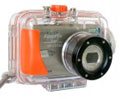
Fujifilm also offers an underwater housing, the WP-FXF30, which is rated for use at depths up to 40m; this housing is also compatible with the newer F31fd.

Connectivity and battery

A panel under the F30 opens to reveal the battery and xD memory card slot. The F30’s powered by an NP-95 Lithium Ion battery back which charges within the camera using a supplied compact AC adapter.

Fujifilm claims up to a massive 580 shots per charge under CIPA standards, and while we managed closer to 300 shots in practice, a number were taken in sub-zero temperatures and we also tended to use the smoother but more power-hungry 60fps screen refresh option. It’s an impressive performance regardless and put it this way, when the battery-low icon eventually appears, you may have to have a good think about where you last saw the AC adapter.

A small rubber flap on the left side hides the AC adapter plug and a combined USB / AV port. Anyone familiar with the older F11 will be pleased to see these ports as oppose to the previous proprietary connectivity.

Support this site by checking prices above or shopping via our affiliate stores


All words, images, videos and layout, copyright 2005-2010 Gordon Laing. May not be used without permission.

About Us / How we test / Best Buys / Advertising / Home